Tools / GlyphVault
A font manager for people who set type in more than one language. It answers the question the font menu will not: can this face actually set Turkish, Persian, Vietnamese or Polish?
The trial is the whole application for fourteen days, with no card. Worth using before you buy, so you know it does what you need.
A font can cover Arabic and be unusable for Persian. It can cover Latin and fall apart in Turkish, Polish or Vietnamese. Your operating system will not warn you: it silently substitutes a fallback font, so a broken preview looks perfectly fine on screen.
The tofu turns up later, in the artwork, on the billboard, after sign-off. GlyphVault checks the second question, across 59 languages in 24 scripts.
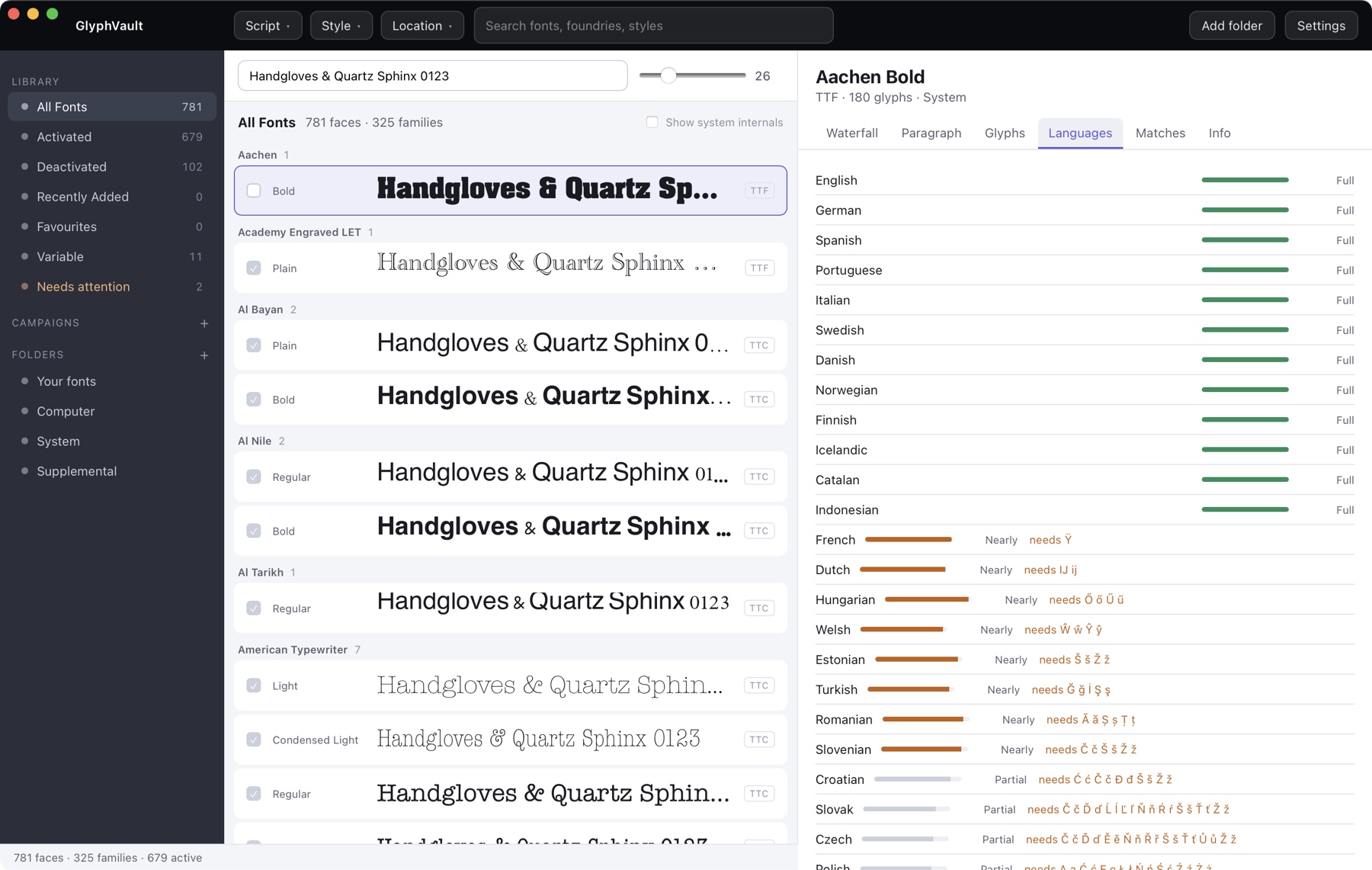
Pick any font and get the full list: which languages it handles outright, which it very nearly handles, and which it cannot. Where it falls short you get the exact characters that are missing, not a percentage.
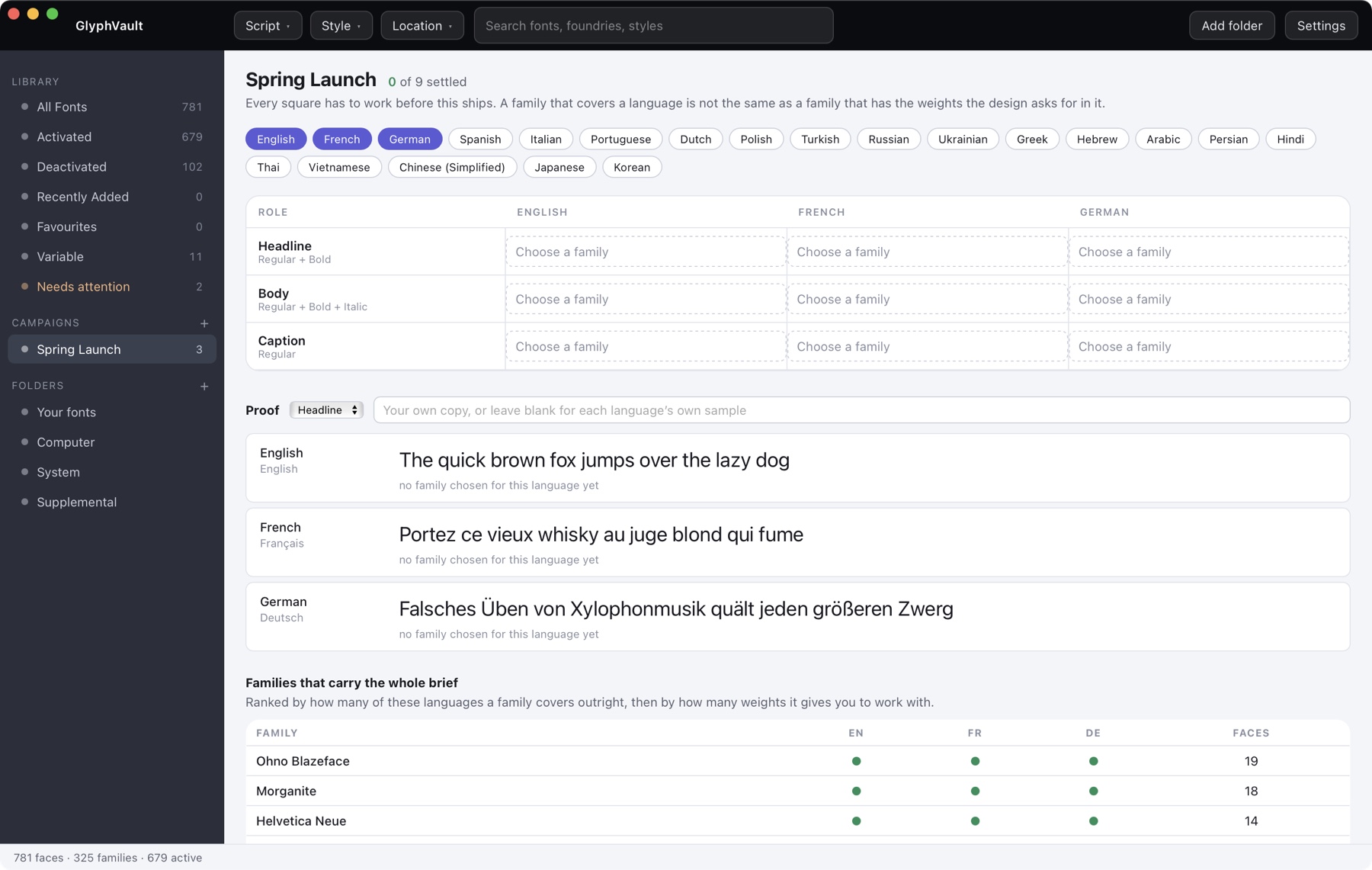
Roles down, languages across. Every square has to be settled before the work ships, and the header counts how many still are not. A family that covers a language is not the same as a family with the weights the design asks for.
Every family on your machine ranked by how many of your chosen languages it covers outright, then by how many faces it gives you to work with. It is usually a much shorter list than people expect.
Paste the actual strings for each language, or leave the defaults, and the board is checked against them rather than against a guess about what you might set.
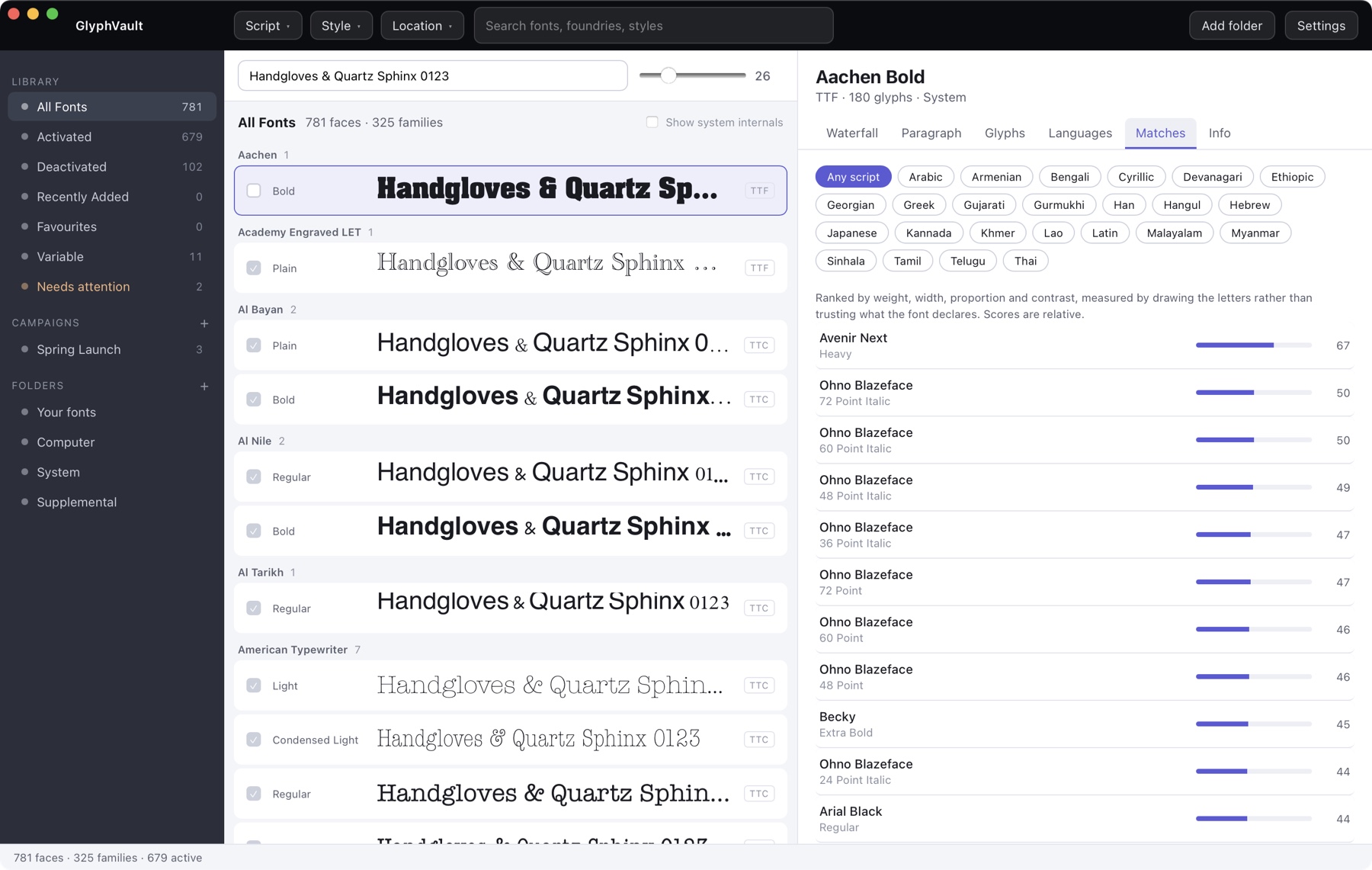
You have a Latin family and need the Arabic one to sit beside it. Candidates are ranked on weight, width, proportion and contrast, measured by drawing the letters rather than trusting what the font file declares.
By script, with live counts, so you can see at a glance that a library of 781 faces has 559 Latin, 306 Cyrillic and 57 Arabic. Then by style, and by where the font is installed.
The token is proof of purchase. Keep the email: it is what you use for a reinstall or a new machine.
The app shows an Installation ID, sixteen characters, with a Copy button next to it. It is derived on your machine and identifies that computer without telling us anything about it.
Paste the token and the Installation ID into the unlock page. You get a licence key for that computer.
The key is checked on your own machine, every time, forever. The app has no network code, so there is nothing to expire and nothing to go down.
A licence lives on one machine at a time, and you move it yourself. There is no limit on how many times.
Settings, then Release. That copy locks itself straight away and shows you a release code, which is proof the licence really was given up rather than copied.
Twenty-four hours from the moment you released it. The code carries the time, so the clock starts then rather than when you get round to the next step.
Install GlyphVault there and copy its Installation ID from Settings. Enter that, your release code and your original purchase token on the transfer page, and you get a key for the new machine.
Everything in the 1.x series is included.
No card. The trial becomes the full version when you paste in a licence key, so there is nothing to reinstall.
Both installers are unsigned, so your computer will warn you once.
macOS. Open the disk image and drag GlyphVault to Applications. Then right-click GlyphVault and choose Open, and click Open again. Once only.
Windows. Windows will say the publisher is unrecognised. Choose More info, then Run anyway.
No kernel extensions, no login items, no background agent. Your font library and your campaign data stay on your machine.
No. One payment, and the licence does not expire.
Not on one key. A key is good for one computer at a time, and you can move it between machines yourself. For two machines at once, buy two keys.
Yes, as often as you need. Release it in Settings on the machine that has it, wait a day, then unlock the new one on the transfer page. The steps are above.
No. The app has no network code at all. It checks your key on your own machine, so it never phones home and never checks in. If this website disappeared tomorrow, your copy would carry on working.
No, and we could not if we wanted to. Nothing leaves your machine, because the app makes no network requests of any kind.
Studios and in-house teams who ship work in several languages, and anyone who has had artwork come back with boxes where the accents should be.
GlyphVault came out of our own work. Most of what we build does. If you have a problem that looks like software, send us a paragraph on it.